
- Home
- Help centre
- For the office
- Jobs & job numbers
For the office
Jobs and job numbers
Everything the crew can book hours to. Every job numbered, and never twice.
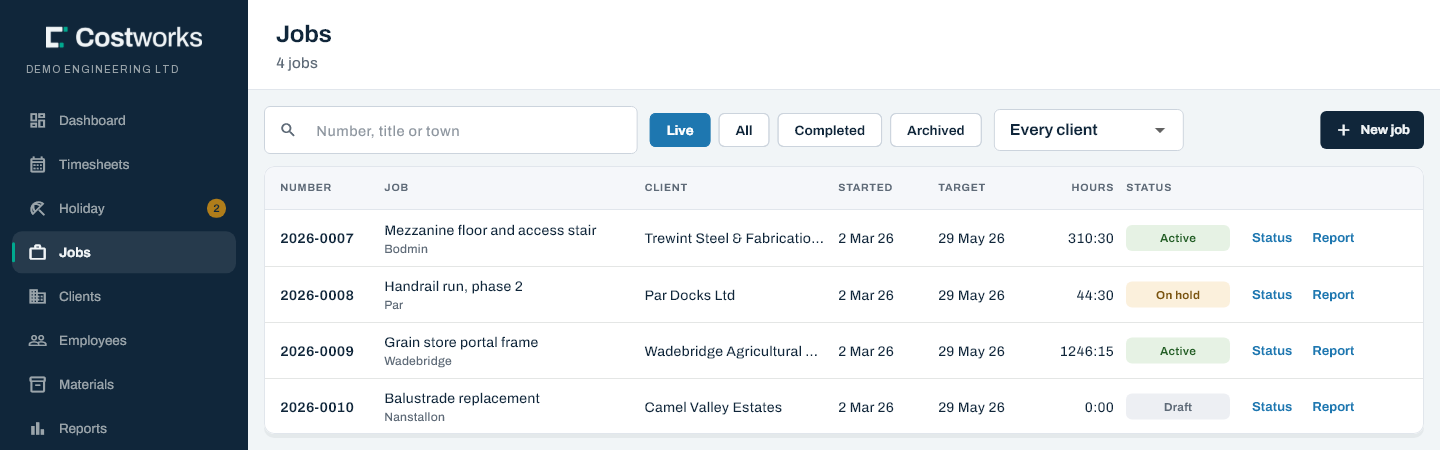
Raising a job
- On Jobs, add a job.
- Pick the client, give it a title, and save.
The form offers the next number, like 2026-0007: the year, then a four-figure sequence that starts again at 0000 every January. Two people raising a job at the same moment get two different numbers.
Keeping your paper job numbers
To match a paper job sheet, type its number instead — 2026-0275, or 26 275 — on a new job or an existing one, as long as no other job has it. If one does, it tells you which. The next number offered carries on from the highest, and a renumbering is recorded and shows on the job’s audit report.
Word jobs for admin and yard hours
For hours that belong to no job, use a word instead of a number: 2026-ADMIN, 2026-YARD. A word job takes no number from the sequence and leads its year in every list.
Searching
Anywhere you search, type a number the way a job sheet writes it: 26 156 finds 2026-0156, 26 1 narrows to 2026-0100 to 0199, and 26 Admin finds 2026-ADMIN.
Job status
Change it with Status on the job’s row. Live, the list’s first filter, is draft, active and on hold together.
| Status | In the crew’s job picker? | Use it when |
|---|---|---|
| Draft | No | Being quoted. Not bookable yet |
| Active | Yes | Work is on; hours can go to it |
| On hold | Yes, flagged | Paused, but hours may still land |
| Completed | No | Finished. Refuses new hours; stamps the date |
| Archived | No | Off the lists. History is kept |
Clients
Every job picks its client from Clients: a name, a contact and phone number, and the address. Clients archive rather than delete, and a client with live jobs can’t be archived — complete or reassign the jobs first.
Still stuck? Contact us — a real person, usually the same day.