
- Home
- Help centre
- For the crew
- Sending your week
For the crew
Sending your week to the office
Friday, or whenever you’ve finished the week. One button, and it’s with the office.
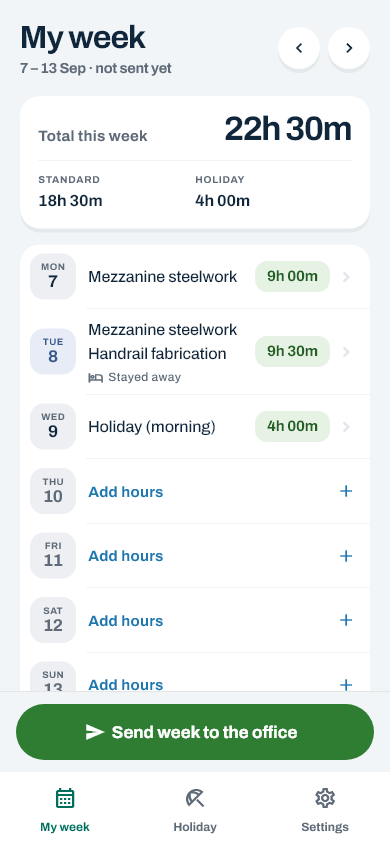
Sending it
- Go to My week and check the days are right. The arrows at the top move between weeks, so make sure you’re looking at the one you mean to send.
- Tap Send week to the office.
- It asks you to confirm. That’s you saying the hours are correct.
Once it’s gone, the week locks — hours, materials and stay-away nights together — and you can’t change it. That’s on purpose: the office is working off it.
What the week can be doing
| Status | What it means |
|---|---|
| Not sent yet | Yours to change. Nobody else has seen it. |
| Sent to the office | Waiting to be checked. Locked to you. |
| Sent back to you | Something needs looking at. The reason is on the screen, and the days are open again. |
| Approved | Signed off. It goes to pay from here. |
What the office does next
The office checks the week and either approves it — it then goes to pay — or sends it back with a reason. A week sent back is yours to change again: the reason is on the screen, the days open, and you send it in once it’s fixed.
Spotted a mistake after sending?
Ring the office and ask them to send it back. It comes back to you to edit, with a note saying why. Fix it and send it again.
A sent week still opens: tap any day to see what’s on it. You just can’t change anything until it comes back.
Still stuck? Ring the office — there’s nothing in the app that somebody there can’t undo. Or contact us.