
- Home
- Help centre
- For the office
- Materials catalogue
For the office
The materials catalogue
You keep the list; the crew record quantities against a job.
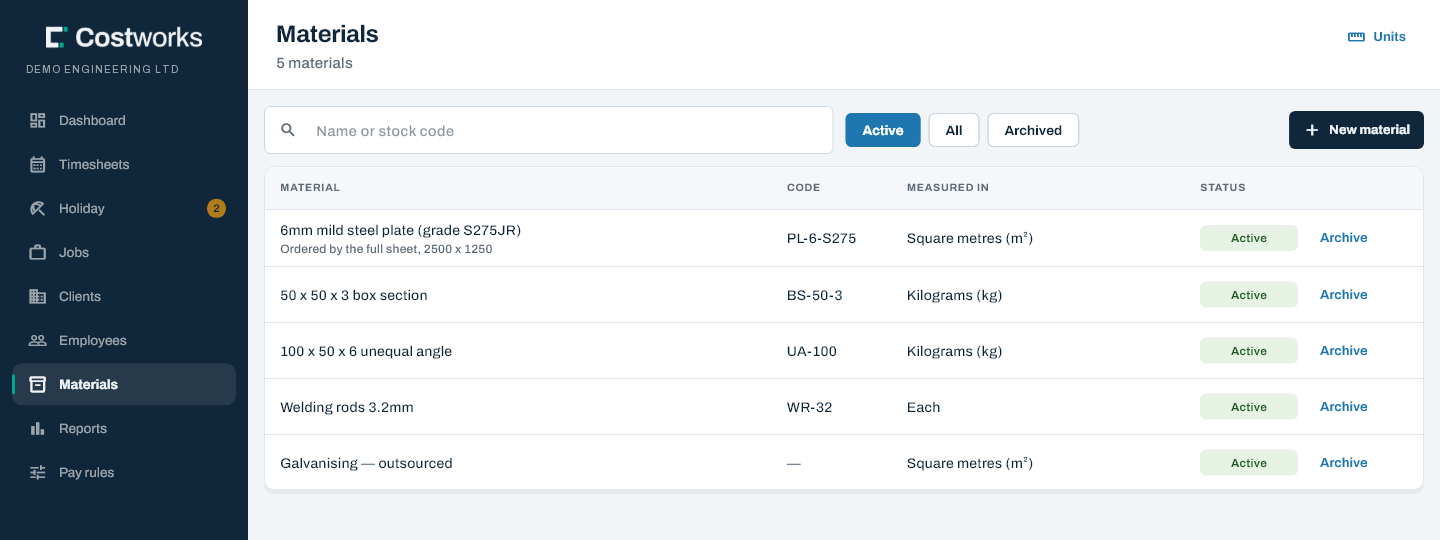
The catalogue
Add materials on Materials, each with its unit. The crew can’t add a material and can’t choose the units — the unit belongs to the material, so 12.5 is always 12.5 of the right thing.
Units are a fixed list you add to, not free text: m2, sqm and sq m mean one thing to a person and three things to a spreadsheet. Codes are upper-cased so kg and KG can’t both exist.
What went on a job
Open the job to see totals per material, and how many separate entries make up each one — 42 m² across one entry and 42 m² across nineteen are different stories.
Taking a material off a job
- Open the job and choose See each entry beside the totals. Every entry is listed by day, newest first, with who recorded it and when.
- Click the bin beside the one to go. It asks first, naming the amount, the material, who recorded it and the day.
The crew can take their own off until they send the week in; after that it’s locked for them, and they’re told to ask you. You can remove one whatever the week’s status. The entry is withdrawn rather than deleted, and the record history says who removed what.
Adding a material for somebody
- Open the job and choose See each entry (or Add one for somebody on a job with nothing recorded yet), then Add material.
- Choose who used it, the day, the material and how much.
It goes in whatever the week’s status, onto that person’s day and the job’s totals, marked added by the office in both places. The crew are listed, not subcontractors, who invoice for their own materials.
Still stuck? Contact us — a real person, usually the same day.