
- Home
- Help centre
- For the office
- Pay rules
For the office
Setting your pay rules
What counts as overtime, and what it’s worth. Read this before changing anything.
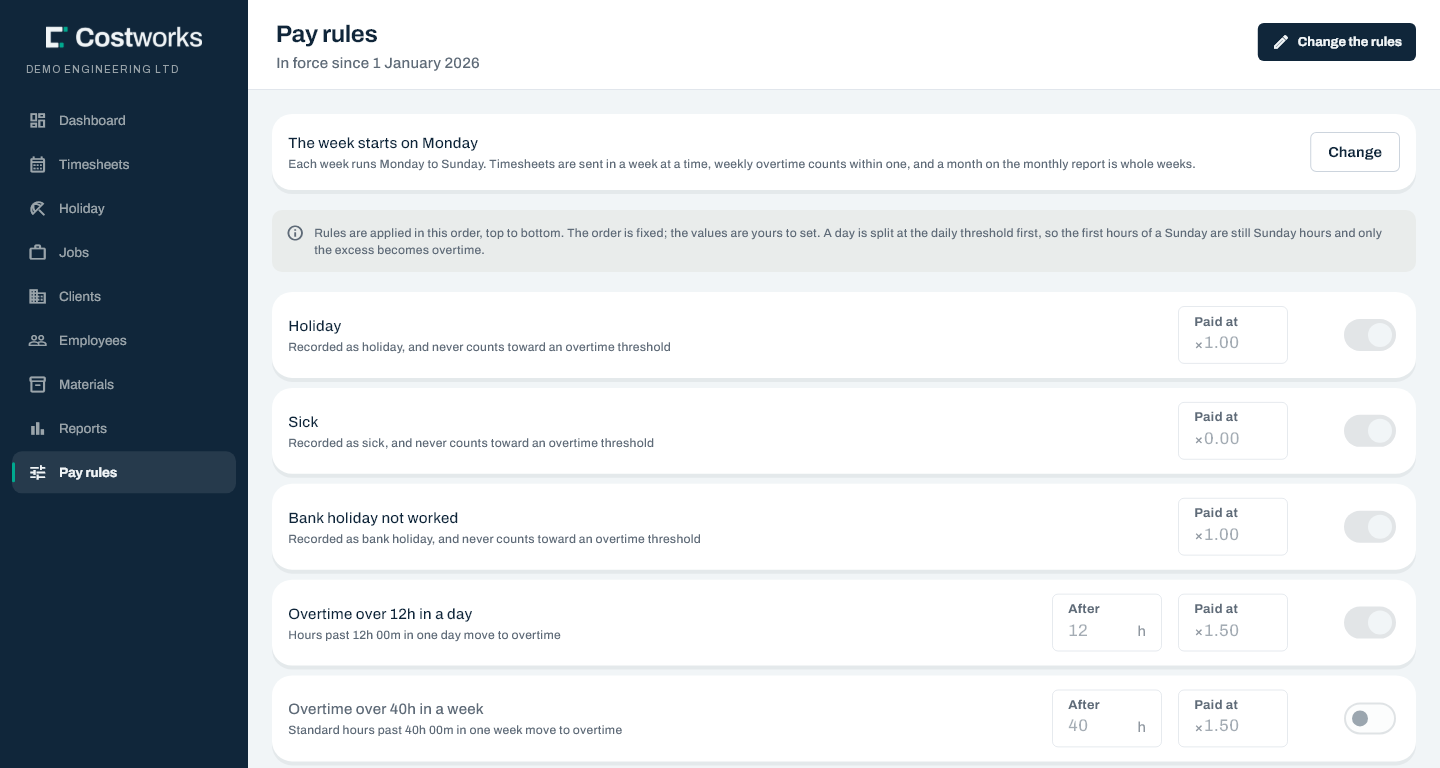
The order is fixed, and it matters
The rules run as a pipeline, top to bottom. You set the values; the order isn’t yours to change. A day is split at the daily threshold first, so the first hours of a Sunday are still Sunday hours and only the excess becomes overtime.
| Rule | Applies when | Out of the box |
|---|---|---|
| Holiday | Recorded as holiday; never counts towards overtime | ×1.00 |
| Sick | Recorded as sick | ×0.00 |
| Bank holiday not worked | Recorded as bank holiday | ×1.00 |
| Overtime over 12h in a day | Hours past 12h 00m in one day | ×1.50 |
| Overtime over 40h in a week | Standard hours past 40h in a week | off |
| Bank holiday worked | Hours worked on a bank holiday | ×2.00 |
| Sunday | Any hours on a Sunday | ×2.00 |
| Saturday | Any hours on a Saturday | off |
| Standard hours | Everything not claimed above | ×1.00 |
Want to see how a week comes out? Try the pay engine with your own numbers.
Changing a rule
A change is a new version, dated forward. The rules that priced last month stay exactly as they were.
- A change starts on the first day of a week, after any change already scheduled — the date picker offers nothing else, so no week is paid under two sets of rules.
- A change that would re-price a week already approved is refused.
- The catch-all Standard hours rule can’t be edited or switched off — every minute has to land somewhere.
- Before it saves, it shows a summary of exactly what’s changing and from when. Every change is recorded against your name.
The stay-away amount
A set amount is paid for each night somebody stayed away from home for a job. The amount is set at the foot of the Pay rules screen: Set an amount the first time, New amount after that. Type the amount a night and the first night it pays.
Like a pay rate, a change is a new amount from a date — earlier nights keep the amount they were paid at. It must start after the newest amount and after the last approved week. An amount that hasn’t started yet can be withdrawn if it was a mistake. £0 is allowed, as the way to stop paying it from a date.
A week paid in another month
A payroll month is the whole weeks ending in it. A week can be paid in the month before or after instead — for example, a week ending on 1 January could be paid with December. There’s no screen for this: ask us and it’s set up for you.
The day your week starts is at the top of this screen too — see Changing the day your week starts.
Still stuck? Contact us — a real person, usually the same day.